
A great album cover can be just as memorable as the music itself. Whether you’re releasing a single, an EP, or a full album, the artwork is often the first thing people notice on Spotify, Apple Music, or YouTube.
The good news is that you no longer need to hire a designer to create something unique. AI art tools have made it much easier to turn an idea into professional-looking cover art in just a few minutes.
That said, not every AI image generator is a great fit for album covers. Some are better at creating artistic styles, while others are better for editing, refining, or preparing artwork for commercial use.
To help you choose, we’ve compared three of the best AI tools for album and cover art: Krea.ai, Midjourney, and Adobe Firefly.
Table of Contents
ToggleWhat Makes a Good AI Tool for Album Covers?
Creating album artwork is a little different from generating a random AI image.
The best tools should give you creative control, support different art styles, let you generate high-resolution images, and make it easy to change your design until it feels right.
1. Krea.ai
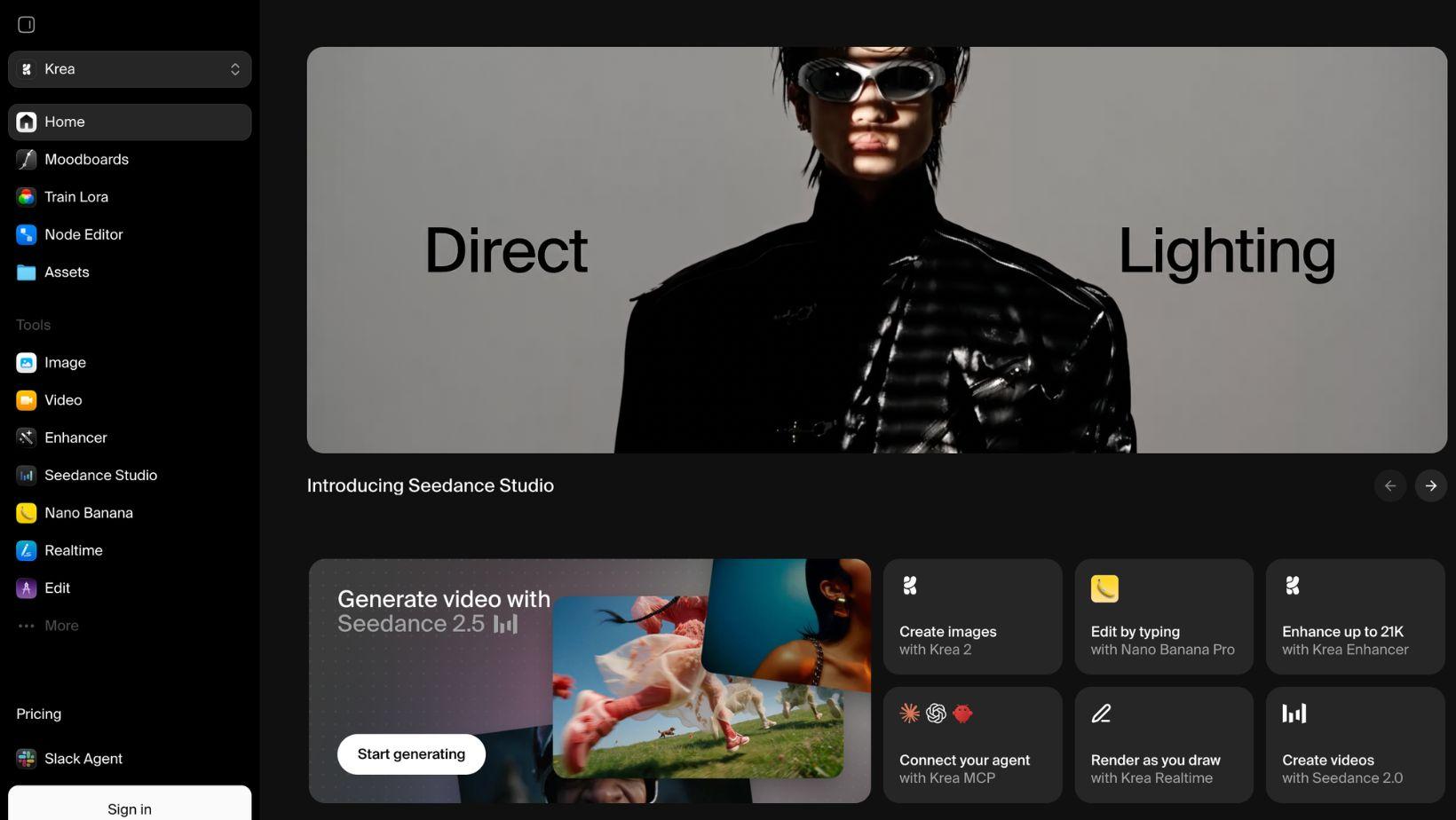
If I were creating album artwork today, Krea.ai would probably be my first choice.
What makes it stand out isn’t just the image quality – it’s how much control you have over the creative process.
Instead of relying on a single AI model, Krea brings together its own Krea 2 model alongside popular models like Flux, Ideogram, GPT-IMG-2, and Nano Banana, so you can experiment with different styles without jumping between different websites.
For album covers, that’s a big advantage. You can quickly test multiple visual directions, upload reference images to guide the style, generate different variations of the same concept, and edit your favorite result without leaving the platform.
Another feature I really like is the built-in upscaler. Album artwork often needs to look sharp across streaming services, vinyl sleeves, posters, and social media. Krea can upscale images up to 22K resolution, making it much easier to prepare artwork for different formats.
The platform is also surprisingly easy to use. The interface is clean, generations are fast, and even the free plan gives you access to Krea 2 with daily compute credits, so it’s easy to experiment before paying for a subscription.
Pros
- Excellent for experimenting with different art styles
- Multiple AI image models in one place
- Upload reference images for better creative control
- Generate variations with one click
- Upscaling up to 22K
- Free plan available
Limitations
- Advanced features require a paid subscription
Best for: Independent musicians and designers who want maximum creative freedom without juggling multiple AI tools.
2. Midjourney
If you’ve spent any time looking at AI-generated artwork online, chances are you’ve already seen images made with Midjourney.
It’s known for producing some of the most creative and artistic AI images available, which makes it a popular choice for musicians looking for something unique. Whether you’re after a dreamy indie aesthetic, dark metal artwork, futuristic electronic visuals, or colorful pop art, Midjourney is capable of creating some truly impressive results.
One thing I like is how well it handles mood and atmosphere. Instead of generating images that feel overly polished or generic, Midjourney often produces artwork that looks more like something an illustrator or digital artist created.
The downside is that it has a bit more of a learning curve than some other AI tools. Getting the exact look you want usually takes a few rounds of prompting and experimenting, so it isn’t always the fastest option if you’re new to AI image generation.
Pros
- Good artistic quality
- Great for unique and creative album covers
- Wide range of visual styles
- Strong community for inspiration
Limitations
- Takes practice to get the best results
- No built-in editing tools like some competitors
Best for: Artists who want highly creative, stylized album artwork and don’t mind spending a little extra time refining prompts.
3. Adobe Firefly
If you’re already using Photoshop or Illustrator, Adobe Firefly is an easy recommendation.
Rather than trying to replace your design workflow, Firefly fits into it. You can generate images with AI, edit parts of an existing design using Generative Fill, expand backgrounds with Generative Expand, and continue polishing everything inside Adobe’s Creative Cloud apps.
For album covers, that’s especially useful if you already have a concept or a rough design and just need AI to help bring it to life. Instead of starting from scratch every time, you can generate new elements, replace objects, or try different backgrounds while keeping the rest of your design intact.
Another advantage is that Adobe designed Firefly with commercial use in mind, making it a popular choice for professional designers and businesses.
Pros
- Works seamlessly with Photoshop and Illustrator
- Excellent editing and refinement tools
- Commercial-friendly workflow
- Easy to improve existing artwork
Limitations
- Works best if you’re already in the Adobe ecosystem
- Less focused on artistic experimentation than Midjourney
Best for: Designers and musicians who already use Adobe Creative Cloud and want AI to speed up their workflow.
Final Thoughts
All three tools can help you create impressive album artwork, but the right one depends on what you’re looking for.
If you want an easy-to-use tool that lets you experiment with different styles, edit your images, and create high-quality cover art in one place, Krea.ai is a great choice.
If your focus is creating more artistic and unique visuals, Midjourney is definitely worth trying. And if you already use Photoshop, Adobe Firefly will fit naturally into your existing workflow.
Whichever tool you choose, AI has made it easier than ever to create professional-looking album covers without needing advanced design skills.