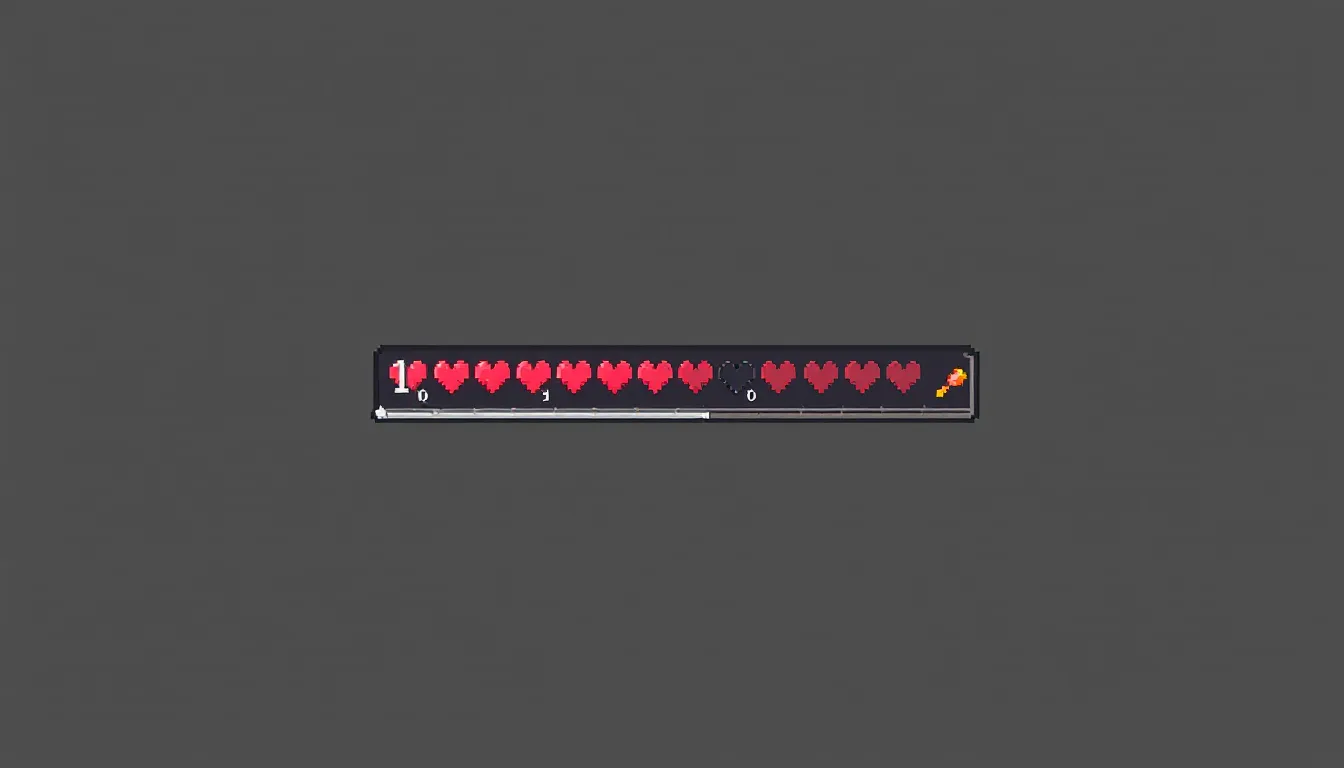

That red heart icon flickering at the bottom of your screen? It’s more than just a visual element, it’s your lifeline in Minecraft’s blocky world. Whether a Creeper just exploded in your face or you’ve taken a nasty tumble off a cliff, understanding how the health bar works can mean the difference between respawning at your bed or keeping your gear intact.
The health bar is one of Minecraft’s core survival mechanics, but there’s more to it than meets the eye. From hidden healing mechanics tied to your hunger level to temporary effects that can push your maximum health beyond the standard 10 hearts, mastering health management separates confident players from those constantly scrambling for food. This guide breaks down everything about Minecraft’s health system, how damage works, the best healing strategies, ways to boost your max health, and even how to customize the display to match your playstyle. Whether you’re a new player figuring out why your health won’t regenerate or a veteran looking to optimize combat survival, here’s what you need to know.
Table of Contents
ToggleKey Takeaways
- The Minecraft health bar displays 10 hearts (20 HP total), with damage calculated in half-heart increments, and regeneration tied directly to keeping your hunger bar above 18 to restore health automatically.
- Absorption effects from golden apples and Totems of Undying add temporary yellow-orange hearts that deplete first in combat, making them critical for surviving burst damage like Creeper explosions.
- Full netherite armor with Protection IV enchantments reduces incoming damage by over 92%, dramatically extending your effective HP compared to lower-tier armor and significantly improving survival chances in challenging encounters.
- High-saturation foods like golden carrots and cooked porkchops sustain health regeneration longer than low-saturation options, making food selection strategy essential for extended mining trips and boss fights.
- Shields block 100% of frontal damage without consuming durability for projectiles, and specialized protection enchantments like Blast Protection and Fire Protection reduce specific damage types at twice the rate of standard Protection.
- Resource packs and mods like AppleSkin allow visual customization of your health bar display and provide gameplay optimization tools, while troubleshooting missing regeneration requires checking hunger levels, difficulty settings, and status effects.
What Is the Minecraft Health Bar and How Does It Work?
The health bar is your character’s vitality displayed as a row of hearts along the bottom of the screen. Each heart represents 2 health points (HP), giving players a base total of 20 HP when starting the game. When you take damage, hearts deplete from right to left. Hit zero, and you’re dead, respawning at your set spawn point or bed.
Minecraft’s health system is deceptively simple on the surface but has layers that affect gameplay strategy. Damage calculations account for armor, enchantments, and difficulty settings, while regeneration mechanics are tied directly to your hunger level. Understanding these interconnected systems is crucial for survival, especially in Hardcore mode where death is permanent.
Understanding Hearts and Health Points
Each visible heart on your health bar equals 2 HP. With 10 hearts at baseline, you have 20 HP total. Damage is calculated in half-heart increments, a zombie’s punch deals 3 HP (1.5 hearts) on Normal difficulty, while a skeleton arrow deals 4 HP (2 hearts) at full charge.
The health bar uses a color-coded system to communicate your status. Full hearts appear bright red, while depleted hearts show as empty outlines. When you take damage, the hearts shake and briefly turn gray before updating. If you have the Absorption effect active, you’ll see additional yellow-orange hearts layered over your normal red ones. These represent temporary bonus health that depletes before your standard HP.
Minecraft also tracks HP with decimal precision behind the scenes. You might see your health at 9.5 hearts (19 HP) after taking minor damage, displayed as 9 full hearts and one half-heart. This precision matters when calculating exactly how much damage you can survive from specific mobs or environmental hazards.
How the Health Bar Appears on Different Platforms
The health bar’s appearance and position vary slightly across platforms, though the core functionality remains identical. On Java Edition (PC), the health bar sits at the bottom-center of the screen, directly above the hotbar. The hunger bar appears to the right of the health bar, creating a symmetrical HUD layout.
Bedrock Edition (available on Windows 10/11, Xbox, PlayStation, Nintendo Switch, and mobile devices) displays the same heart layout but with slightly different spacing and texture rendering. Mobile players on iOS and Android see a touch-friendly version with the health bar positioned to avoid finger placement during gameplay.
Console players (PS4, PS5, Xbox One, Xbox Series X
|
S, Switch) see the health bar scaled appropriately for TV viewing distances. The HUD elements are slightly larger and positioned to accommodate the “safe zone” requirements of different television displays.
In PvP scenarios or when spectating, you can see other players’ health bars floating above their heads if you have the appropriate game rules enabled (specifically showHealthBar for mobs and players). This feature is commonly used on multiplayer servers running custom plugins or in UHC (Ultra Hardcore) gamemodes where health visibility becomes a strategic element.
Ways to Take Damage in Minecraft
Minecraft offers dozens of ways to lose hearts, from obvious combat scenarios to sneaky environmental hazards. Knowing the damage sources and their values helps you prioritize threats and plan survival strategies.
Environmental Hazards and Fall Damage
Fall damage is one of the most common killers in Minecraft. Players take no damage from falls of 3 blocks or less. At 4 blocks, you take 1 HP of damage (half a heart), with damage increasing by 1 HP per additional block. A fall from 23 blocks or higher is instantly fatal without armor or protection.
The calculation is straightforward: damage = (fall distance – 3). So a 10-block fall deals 7 HP (3.5 hearts). Feather Falling enchantment reduces this significantly, Feather Falling IV can reduce fall damage by up to 48%, and combining it with Protection enchantments pushes reduction even higher.
Fire and lava are persistent threats. Standing in fire deals 1 HP per second, while lava deals 4 HP per second, enough to kill an unarmored player in 5 seconds. Fire continues burning you for several seconds after leaving the source, dealing damage over time. Water or Fire Resistance potions negate this entirely.
Other environmental hazards include:
- Drowning: 2 HP per second when your oxygen bubbles deplete
- Suffocation: 1 HP per half-second when your head is inside a solid block
- Cacti: 1 HP per half-second of contact
- Sweet Berry Bushes: 1 HP when moving through them
- Magma Blocks: 1 HP per half-second when standing on them without Frost Walker or sneaking
- Powder Snow: Freezing damage that builds up, eventually dealing 1 HP every 2 seconds
Combat Damage from Mobs and Players
Hostile mobs each have specific damage values that scale with difficulty. On Normal difficulty, a zombie deals 3 HP per hit, while a Creeper explosion at point-blank range can deal up to 49 HP, far exceeding your maximum health. Here’s a breakdown of common mob damage values:
- Zombie: 3 HP (Normal) / 4.5 HP (Hard)
- Skeleton arrow: 3-5 HP depending on charge and distance
- Creeper explosion: 24.5 HP (Normal) at epicenter, reduced by distance
- Enderman: 7 HP (Normal) / 10 HP (Hard)
- Spider: 2 HP (Normal) / 3 HP (Hard)
- Wither Skeleton: 8 HP (Normal) plus Wither effect
Player-versus-player damage depends on weapons. A diamond sword deals 7 HP base damage, while a netherite sword deals 8 HP. Critical hits (performed by falling while attacking) multiply damage by 1.5x. Axes deal more damage per hit than swords but have slower attack speed, a netherite axe deals 10 HP but has a 1.0 attack speed versus the sword’s 1.6.
Status Effects That Drain Your Health
Several status effects chip away at your health bar over time, requiring immediate attention.
Poison is the most common. It deals damage over time but cannot kill you, it stops at 1 HP (half a heart). Poison II deals damage faster but follows the same rule. Cave spiders, witches, and pufferfish inflict poison.
Wither effect is far deadlier. Unlike Poison, Wither can kill you outright. Wither II (inflicted by wither skeletons and the Wither boss) deals 1 HP per second and turns your health bar black. The effect persists even after the source is removed until the duration expires.
Instant Damage potions or effects deal immediate burst damage, Instant Damage I removes 6 HP, while Instant Damage II removes 12 HP. These are rare outside of witch attacks or PvP scenarios.
Hunger itself can damage you if your hunger bar depletes completely. On Easy difficulty, hunger stops at 10 HP. On Normal, it can drain you to 1 HP. On Hard difficulty, starvation kills you.
How to Heal and Restore Your Health Bar
Healing in Minecraft isn’t instant unless you use specific items. The primary regeneration mechanic ties directly to your hunger level, making food management essential for survival.
Food and Hunger: The Primary Healing Mechanic
Your health regenerates automatically when your hunger bar is at 18 or above (9 full drumsticks). Each half-second, you regenerate 1 HP, consuming 6 hunger saturation points in the process. This natural regeneration continues until you’re at full health or your hunger drops below 18.
Different foods provide different hunger and saturation values. Saturation is a hidden stat that determines how long before your visible hunger bar starts depleting. High-saturation foods like golden carrots, cooked porkchops, and steak keep you regenerating longer.
Top healing foods by efficiency:
- Golden Carrot: 6 hunger, 14.4 saturation, best for consistent regeneration
- Cooked Porkchop/Steak: 8 hunger, 12.8 saturation, excellent all-around
- Cooked Salmon: 6 hunger, 9.6 saturation, good mid-game option
- Bread: 5 hunger, 6.0 saturation, early-game staple
- Cooked Chicken: 6 hunger, 7.2 saturation, reliable and farmable
The strategy here is simple: keep your hunger above 18 before and during combat. Many experienced players bring stacks of golden carrots to extended mining trips or boss fights specifically for the high saturation value. According to data from community build optimization guides, maintaining maximum saturation is crucial for hardcore playthrough survival rates.
Potions and Instant Healing Methods
Instant Health potions bypass the hunger-based regeneration entirely, restoring health immediately. An Instant Health I potion restores 4 HP (2 hearts), while Instant Health II restores 8 HP (4 hearts). These are crafted using a water bottle, Nether Wart, and a glistening melon slice (melon slice surrounded by gold nuggets).
In combat scenarios, Instant Health II potions are game-changers. You can throw splash potions at your feet for instant healing mid-fight, or drink standard potions between engagements. Lingering potions create healing zones useful in group PvP.
Regeneration potions provide healing over time. Regeneration I restores 1 HP every 2.5 seconds for 45 seconds (18 HP total), while Regeneration II restores 1 HP every 1.25 seconds for 22 seconds (17.6 HP total). These are crafted using ghast tears and are excellent for sustained combat or dangerous exploration.
The potion meta for serious survival or PvP includes carrying both types: Instant Health for emergency healing and Regeneration for sustained encounters. Lingering Regeneration potions placed strategically can turn a defensive position into a healing zone.
Golden Apples and Advanced Healing Items
Golden Apples provide both instant and sustained healing. A regular golden apple (crafted with 8 gold ingots around an apple) grants:
- 4 hunger, 9.6 saturation
- Regeneration II for 5 seconds (4 HP restored)
- Absorption I for 2 minutes (4 HP of bonus health)
Enchanted Golden Apples (also called “god apples” or “notch apples”) are dramatically more powerful but cannot be crafted, they’re found only in loot chests. They provide:
- 4 hunger, 9.6 saturation
- Regeneration V for 30 seconds (60 HP restored, enough to fully heal three times over)
- Absorption IV for 2 minutes (16 HP of bonus health)
- Resistance for 5 minutes (20% damage reduction)
- Fire Resistance for 5 minutes
Enchanted golden apples are clutch items for boss fights, especially against the Wither or in Hardcore mode. Their rarity makes them valuable trade commodities on multiplayer servers.
Suspicious Stew is an underrated healing option. When crafted with oxeye daisy, it provides Regeneration for 8 seconds. It’s quick to make if you have a flower farm and can be eaten extremely fast (1.6 seconds versus 3.2 seconds for golden apples).
For advanced players, Beacons with Regeneration provide constant passive healing within range. A full-power beacon grants Regeneration II, healing you constantly without consuming hunger or items, ideal for base defense or farming operations.
Increasing Your Maximum Health Beyond 10 Hearts
Most players never exceed 20 HP, but Minecraft includes mechanics to temporarily boost your maximum effective health beyond the standard 10 hearts. These effects don’t permanently increase your heart count but add layers of survivability.
Absorption Effect and How to Get It
Absorption adds temporary yellow-orange hearts on top of your regular red health bar. These bonus hearts deplete first when you take damage and don’t regenerate naturally, once lost, they’re gone until you reapply the effect.
Absorption comes in multiple levels:
- Absorption I: Adds 4 HP (2 yellow hearts)
- Absorption II: Adds 8 HP (4 yellow hearts)
- Absorption III: Adds 12 HP (6 yellow hearts)
- Absorption IV: Adds 16 HP (8 yellow hearts)
You get Absorption from:
- Golden Apples: Absorption I for 2 minutes
- Enchanted Golden Apples: Absorption IV for 2 minutes
- Totems of Undying: Absorption II for 5 seconds after death prevention
- Absorption Potions (requires commands or mods)
The strategic use of Absorption in PvP is significant. Popping an enchanted golden apple before engaging gives you 36 HP (20 base + 16 Absorption), effectively doubling your survivability. The effect duration means you need to press the advantage while it’s active.
Absorption doesn’t interact with armor, it’s pure bonus HP that sits on top of your damage reduction from armor and enchantments. This makes it incredibly valuable against burst damage sources like Creeper explosions or fully-charged bow shots that might otherwise one-shot you.
Health Boost Effect Explained
Health Boost is rarer than Absorption and works differently, it actually increases your maximum health capacity rather than adding a temporary layer. Each level of Health Boost adds 4 maximum HP (2 red hearts).
Unlike Absorption, Health Boost hearts are red and regenerate naturally through the hunger system. If you have Health Boost II (8 bonus HP), your maximum health becomes 28 HP (14 hearts), and all of it regenerates as long as your hunger stays above 18.
The catch? Health Boost is not obtainable in vanilla survival without commands. It exists in the game code and appears in custom maps, adventure modes, and modded gameplay, but you won’t get it from any survival-mode item or effect. Some multiplayer servers with custom plugins grant Health Boost as a reward or purchasable perk.
When the Health Boost effect expires, your maximum health returns to 20 HP. If you’re currently above 20 HP when it wears off, you keep the extra health until you take damage, but it won’t regenerate beyond your normal maximum.
For modded players, Health Boost becomes a build-defining effect. Combined with armor and Protection enchantments, a player with Health Boost V (30 HP total) becomes incredibly tanky, useful for challenging modpacks or custom boss fights. Communities on modding platforms often design difficulty-balanced content around these expanded health pools.
Advanced Strategies for Managing Health in Combat
Keeping your health bar full isn’t just about healing, it’s about preventing damage in the first place. Armor and enchantments form the foundation of combat survivability, dramatically reducing incoming damage and extending your effective HP.
Armor and Damage Reduction Mechanics
Armor in Minecraft reduces damage through two mechanics: armor points and armor toughness. Each visible armor icon above your health bar represents 2 armor points, with a maximum of 20 armor points from a full set.
Armor damage reduction formula is complex, but here’s the practical breakdown:
- Leather armor: 7 armor points (28% damage reduction)
- Gold armor: 11 armor points (44% reduction)
- Chainmail armor: 12 armor points (48% reduction)
- Iron armor: 15 armor points (60% reduction)
- Diamond armor: 20 armor points (80% reduction)
- Netherite armor: 20 armor points, 12 toughness (80%+ reduction, scales with damage)
Armor toughness (unique to diamond and netherite) reduces the armor penetration of high-damage attacks. Against weak hits, diamond and netherite perform identically. Against strong hits (like Creeper explosions or Ravager attacks), netherite significantly outperforms diamond due to its 12 toughness points versus diamond’s 8.
Practical example: A Creeper explosion dealing 49 HP raw damage is reduced to:
- No armor: 49 HP (instant death)
- Iron armor: ~20 HP (you survive with 1-2 hearts)
- Diamond armor: ~12 HP (you survive with 4 hearts)
- Netherite armor: ~8 HP (you survive with 6 hearts)
Armor durability matters in extended combat. Each piece has limited uses before breaking. Diamond armor provides 2,035 durability points per piece, while netherite offers 2,465, about 20% more. Always carry backup armor pieces for long expeditions.
Enchantments That Protect Your Health Bar
Protection is the universal damage reduction enchantment. Each level reduces damage from all sources by 4%, stacking additively across all armor pieces. Protection IV on all four pieces provides 64% damage reduction, which stacks multiplicatively with armor’s base reduction.
Math check: Netherite armor (80% reduction) + Protection IV on all pieces (64% of remaining damage) = 92.8% total reduction. That Creeper explosion that dealt 49 HP raw damage? You take about 3.5 HP with full Protection IV netherite.
Specialized protection enchantments provide better defense against specific damage types:
- Fire Protection: Reduces fire, lava, and blaze damage
- Blast Protection: Reduces explosion damage from Creepers, TNT, etc.
- Projectile Protection: Reduces arrow, fireball, and trident damage
These specialized enchantments provide 8% reduction per level against their damage type, double Protection’s rate. Full Blast Protection IV reduces explosion damage by 128%, effectively capping at 80% reduction due to game limits.
The meta choice depends on your situation. Most players default to Protection IV for general versatility. Speedrunners and Nether explorers often use Fire Protection. UHC players favor Blast Protection for Creeper defense. According to strategies covered in competitive gaming guides, PvP loadouts often mix Protection with specialized pieces based on opponent tendencies.
Other defensive enchantments:
- Feather Falling IV: Essential for boots, reduces fall damage by 48%
- Respiration III: Extends underwater breathing time (reduces drowning risk)
- Thorns: Reflects damage back to attackers (3 levels, damages attacker’s armor)
Don’t sleep on Mending and Unbreaking III. Mending repairs armor using XP orbs, while Unbreaking III multiplies durability by 4 on average. Together, they make armor practically immortal with an XP farm.
Shield usage is another layer. Shields block 100% of frontal damage from most sources, including Creeper explosions, skeleton arrows, and melee attacks. They don’t consume durability when blocking projectiles and can be enchanted with Unbreaking for longer life. The only drawbacks: axes can disable shields for 5 seconds, and shields don’t protect your back or sides.
Customizing and Modifying the Health Bar Display
Minecraft’s default health bar is functional but basic. Players looking to personalize their HUD or add functionality have multiple options through resource packs, mods, and server plugins.
Resource Packs That Change Health Bar Appearance
Resource packs (formerly texture packs) can completely redesign your health bar’s appearance without altering gameplay mechanics. These are client-side modifications compatible with vanilla Minecraft, meaning you can use them on servers without special permission.
Popular health bar customization styles include:
- Minimalist redesigns: Cleaner heart icons, reduced visual clutter
- Themed packs: Medieval, sci-fi, or horror-themed health displays
- Animated hearts: Hearts that pulse or glow with different effects
- Color variants: Blue, green, purple, or gradient heart colors
- Shape changes: Hearts replaced with stars, crystals, or game-specific icons
Resource packs modify the assets/minecraft/textures/gui/icons.png file, which contains all HUD elements including health, hunger, and armor. Creating custom health bars requires basic image editing, each heart state (full, half, empty) occupies specific pixel coordinates in this texture file.
High-resolution resource packs (32×32, 64×64, or higher) provide smoother, more detailed health bar textures compared to Minecraft’s default 16×16 style. These require Optifine or a similar mod for proper rendering but dramatically improve visual quality.
To install a health bar resource pack:
- Download the pack (.zip file)
- Place it in your
resourcepacksfolder - Select it in Options > Resource Packs
- Click “Done” and the changes apply immediately
Mods and Plugins for Health Bar Customization
Mods take customization further by adding functionality, not just visuals. These require Forge, Fabric, or another mod loader and work only in modded clients.
AppleSkin is essential for survival players. It displays:
- Exact hunger and saturation values
- How much hunger/saturation food items restore (shown in tooltips)
- A saturation bar that depletes before your hunger bar
This information helps optimize food choices and understand exactly when you’ll start healing.
Damage Indicators displays floating damage numbers when you hit mobs, along with their remaining health bars above their heads. This is invaluable for combat, showing exactly how much damage your weapons deal and when mobs are close to death.
Better HUD (for older versions) and Custom HUD mods allow repositioning all HUD elements, including the health bar. You can move hearts to the top-left corner, increase their size, or create custom layouts for specific playstyles.
RPG-style health mods replace the heart system with numeric HP displays (showing “HP: 20/20”) similar to traditional RPGs. Some also add health bars for mobs, stamina systems, or mana bars for modpacks with magic systems.
Heart Containers (from various RPG mods) add permanent heart increases through item collection, similar to Zelda’s system. These modify gameplay, not just visuals.
Server-side plugins (for multiplayer servers running Bukkit, Spigot, or Paper) can modify health display for all players. Popular plugins include:
- TabHealth: Shows player health in the tab list
- HealthBar: Displays numeric health above player names
- ActionBarHealth: Shows health and hunger in the action bar (above hotbar)
These require server operator permissions to install and affect all connected players, not just the individual.
Common Health Bar Issues and Troubleshooting
Sometimes the health bar doesn’t behave as expected. Most issues stem from game settings, bugs, or misunderstanding Minecraft’s mechanics. Here’s how to diagnose and fix common problems.
Missing or Invisible Health Bar Fixes
If your health bar completely disappears, check these solutions in order:
1. GUI scale settings: Press F1 to toggle the HUD. If that doesn’t work, your GUI might be scaled too small or positioned off-screen. Go to Options > Video Settings > GUI Scale and set it to “Auto” or increase the value.
2. Resource pack conflicts: A corrupted or incompatible resource pack can hide HUD elements. Disable all resource packs (Options > Resource Packs) and restart Minecraft. If the health bar reappears, one of your packs has a broken icons.png file.
3. Spectator mode: If you’re in Spectator mode (default in some custom maps), your health bar won’t display because you can’t take damage. Switch back to Survival with /gamemode survival (if you have permissions).
4. HUD opacity: Some modpacks or shaders can reduce HUD opacity to near-zero. Check video settings for any transparency sliders.
5. Screen resolution issues: On ultrawide or multi-monitor setups, the HUD sometimes renders off-visible area. Try changing your resolution or windowed/fullscreen settings.
6. Corrupted game files: If none of the above work, verify your game installation through the Minecraft Launcher (Java Edition) or reinstall through your platform’s store (Bedrock Edition).
For Bedrock Edition mobile players, the health bar occasionally disappears after updates. Force-closing and restarting the app usually resolves this.
Health Bar Not Regenerating: What to Check
If your health isn’t regenerating even though eating food, work through this checklist:
Check your hunger bar: Health only regenerates when hunger is at 18 or higher (9 full drumsticks). If you’re at 17 hunger or below, eat more food. High-saturation foods like golden carrots or cooked porkchops work best.
Verify your difficulty: On Peaceful difficulty, health regenerates rapidly regardless of hunger. On Easy, Normal, and Hard, you need sufficient hunger. If you think you should be regenerating but aren’t, check Options > Difficulty.
Status effects: Certain effects disable regeneration. Check the right side of your screen for active effects:
- Hunger effect: Drains your hunger bar rapidly, preventing regeneration
- Poison effect: Deals damage over time but stops at 0.5 hearts
- Wither effect: Damages you continuously
Drink milk to clear negative effects, or wait for them to expire.
Game rules: On multiplayer servers or custom maps, the game rule naturalRegeneration might be disabled. You can check with /gamerule naturalRegeneration (requires permissions). If set to false, you’ll need potions or golden apples to heal.
Hardcore/UHC mode: Some multiplayer game modes intentionally disable natural regeneration, requiring Instant Health potions or golden apples. Check the server’s rules or game mode description.
Lag or desync: On multiplayer servers with high latency, visual desync can make it appear your health isn’t regenerating when it actually is (or vice versa). Try eating food and waiting 10-15 seconds. If your health remains unchanged, relog to resync with the server.
Bedrock Edition bugs: Occasionally, Bedrock Edition experiences regeneration bugs after respawning. The temporary fix is to exit and reload the world. These bugs are usually patched within a few updates.
If you’re certain none of these apply, you might be experiencing a rare game bug. Document the issue (screenshots, world seed, exact steps to reproduce) and report it to the official Minecraft bug tracker at bugs.mojang.com.
Conclusion
The health bar might seem straightforward at first glance, just ten hearts standing between you and respawn, but mastering its mechanics separates players who barely survive from those who dominate Minecraft’s toughest challenges. Understanding how damage scales across difficulties, how hunger ties into regeneration, and when to pop that clutch golden apple makes all the difference when a Creeper drops on your head or you’re three hits deep into a Wither fight.
The depth here rewards experimentation. Combine full Protection IV netherite armor with Absorption from enchanted golden apples, and you’re essentially unkillable for two minutes. Stack Regeneration beacons with high-saturation food, and you can facetank most mobs without worry. Even simple choices, keeping golden carrots instead of bread, positioning shields correctly, or knowing exactly how many blocks you can safely fall, compound into dramatically better survival odds.
Whether you’re prepping for Hardcore mode, optimizing a PvP loadout, or just tired of dying to skeletons, treating your health bar as a resource to actively manage rather than just a damage meter shifts your entire approach to the game. Keep your hunger high, your armor enchanted, and your emergency healing ready. Those hearts aren’t just decoration, they’re the difference between victory and a long walk back from spawn.